Changelog
Follow new updates and improvements to Mozaik.
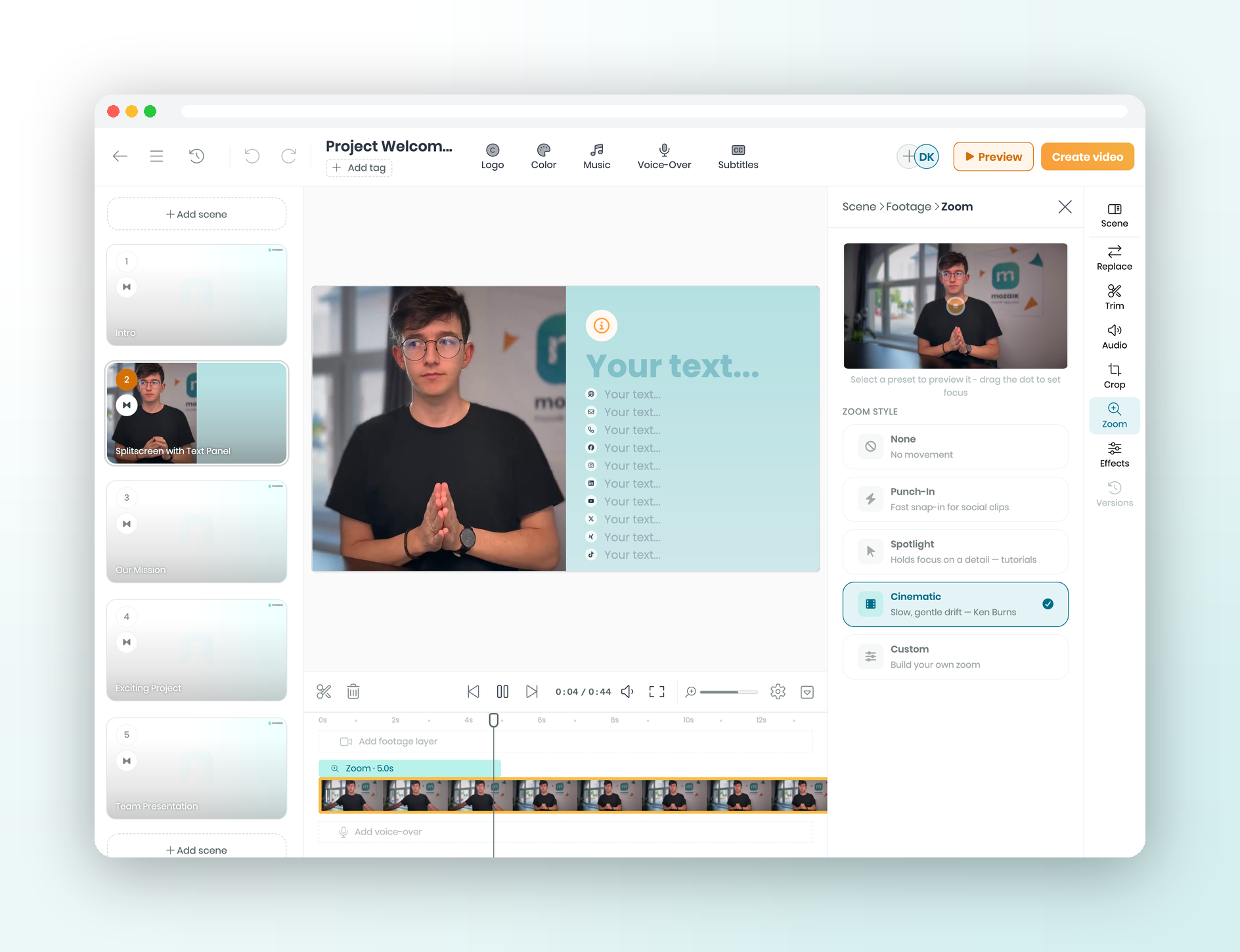
A talking-head shot that just sits there loses viewers fast. Now a slow, gentle zoom can push in as your presenter speaks, adding quiet energy without a single jump cut. And when you need punch, a fast push-in gives social clips instant energy and keeps viewers watching longer.
What’s new
Cinematic: a slow, Ken Burns style drift that adds quiet energy, great on talking heads and still images
Punch-In: fast and punchy for social clips, and it holds attention longer
Spotlight: keeps focus on one detail, perfect for tutorials and walkthroughs
Custom: build your own zoom, exactly the move you want
Zoom has its own button in a clip’s toolbar, not buried in Effects
Find it under a clip’s toolbar → Zoom → pick a style (try Cinematic for a talking-head push-in).
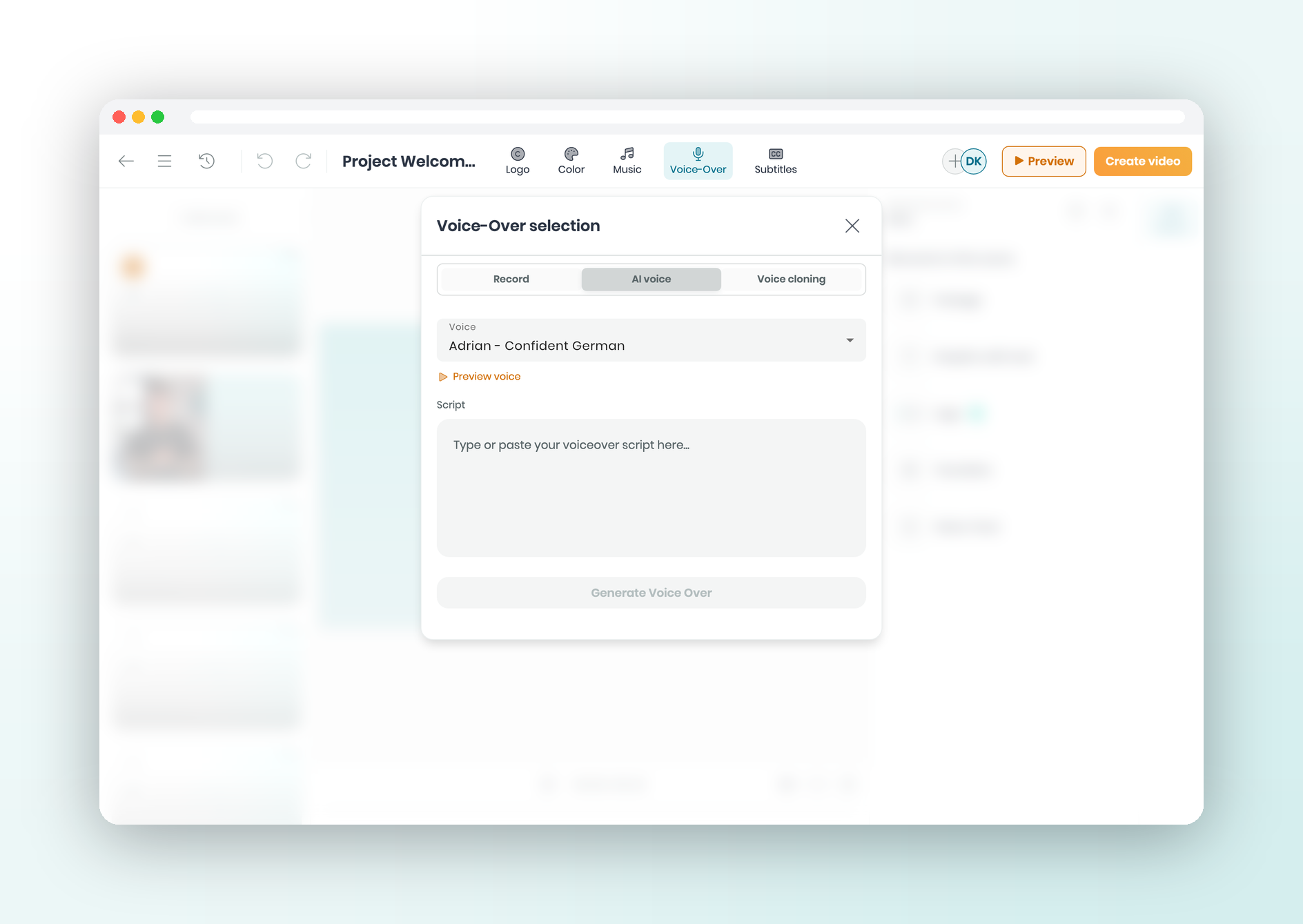
Need a voiceover but don't want to set up a mic or open another app? Type your script in the editor and hear it read back as narration.
What's new
Type a script and get a voiceover — no mic, and a typo is just a text edit
Pick a voice from the library to match your tone, language, or video
Clone your own voice once and reuse it on future projects
The track lands on your timeline, ready to trim and mix like any audio
Find it in the editor under Voice-Over → AI voice — voice cloning is the tab beside it.
See the original feature request →
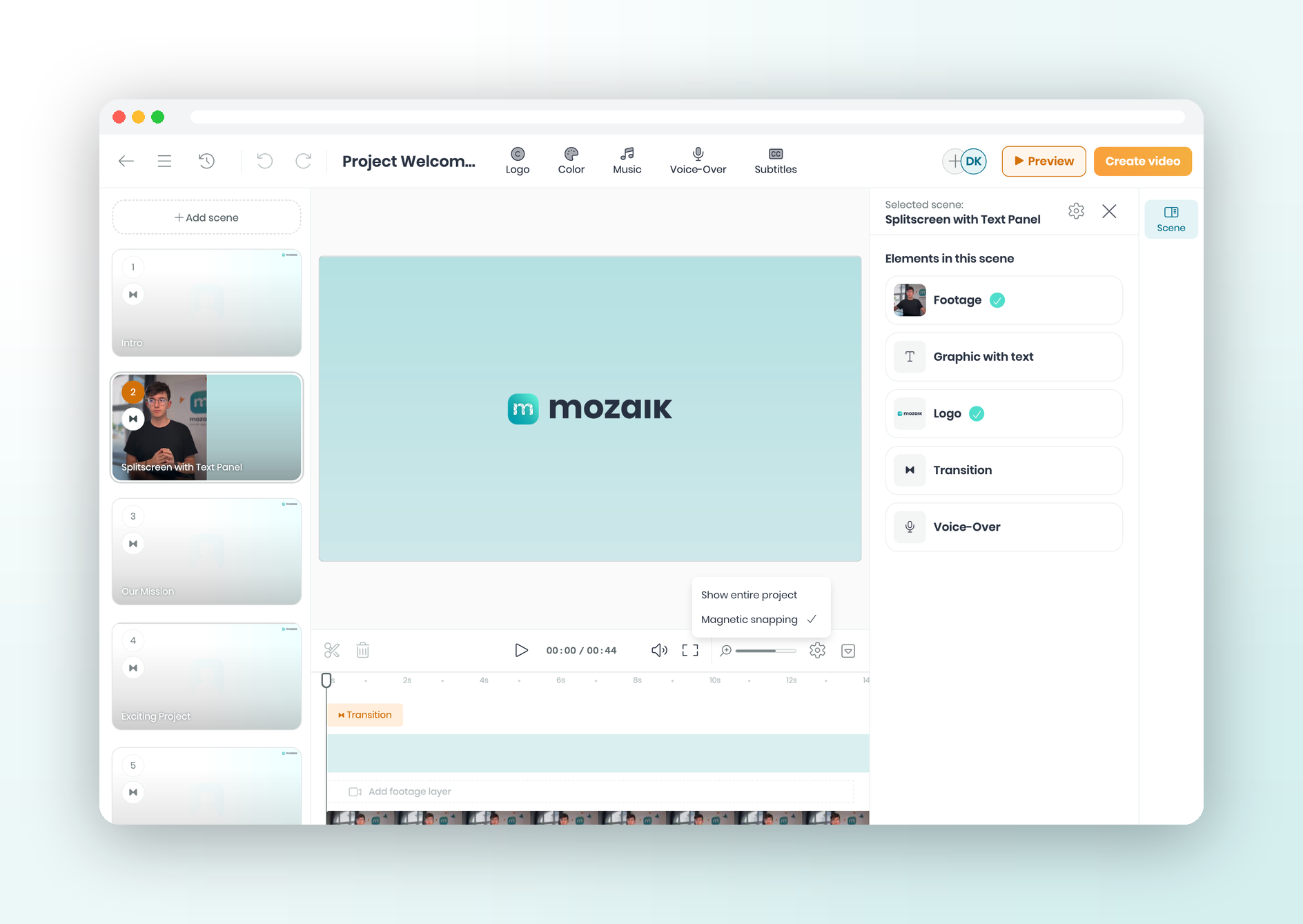
Nudging a clip flush against the next one, then missing by a pixel? That gets old fast. Now clips pull together as you drag, and your cuts land clean.
What's new
Drag a clip near an edge and they lock together — no hairline gaps, no accidental overlaps
Edges also snap to clips on other tracks and to the playhead, so everything lines up
Stays on by default — switch it off anytime you want free movement
Find it in the editor timeline; toggle it under Settings (gear) → Magnetic snapping.
See the original feature request →